Fuffme - Install Web Fuzzing Target on Debian
Web fuzzers can find unlinked, hidden directories. They can also find vulnerabilities in query parameters.
This article shows you how to install ffufme pratice target and ffuf, the leading web fuzzer.
Background # ↑
Use of ethical hacking techniques requires legal and ethical considerations. To safely use these penetration testing tools, tactics and procedures, you might need to obtain contracts and permissions; and posses adequate technical skills. Check your local laws.
BETA: this article has not yet been troughoutly tested. If you find or fix any bugs, leave a comment.
Fuff is the leading web fuzzing tool. This article teaches you how to install the tool, ffuf. We'll also install a local practice target, so you can practice safely. You can only legally fuzz your own computer, or practice targets with prior permission.
This article is tested on Debian 12-Bookworm, but probably works with minor modifications on other Linuxes, such as Kali or Ubuntu. You need to know Linux command line, and you should have the skills and know the limits of ethical hacking practice.
Install Fuff and Fuffme # ↑
Install prerequisites for ffufme target, and fuff.
$
$
Build practice target Docker container
$
$
$
Run the target
$
$
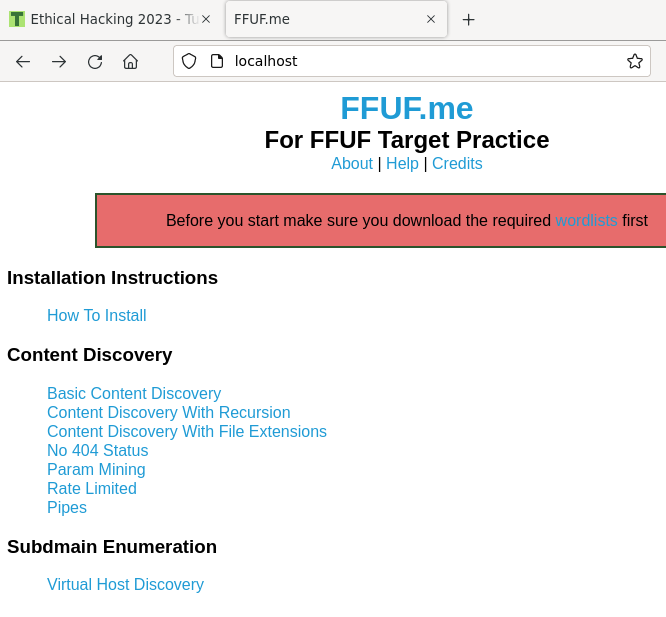
Test that it works. You can of course use a browser on the same computer, http://localhost/
$ |
<title>FFUF.me</title>
Did you get a web page titled FFUF.me? Well done, your target is up.
Install wordlists # ↑
$
$
$
$
$
$
Practice # ↑
You can disconnect your computer from the Internet during practice to make sure that all fuzzing packets stay on your own computer.
$
This command is from fuffme's instructions, found on http://localhost
Did you find "class" and "development.log"? Well done, you're now a fuzzer!
Stay safe, legal and ethical. Only use your new powers for good.
I did it! What now? # ↑
There are also many other exercises with Fuffme. They are listed on Fuffme homepage http://localhost
Troubleshooting # ↑
No trouble? No need to do troubleshooting.
If you already did all fuffme exercises, you can try Tero's other fuff article
80: bind: address already in use # ↑
Only one daemon can listen to a port at one time.
Problem:
$
d58807c94227ecaf6eecc45194c8bf9c4c6d5a7f5e2c61fd600e722cf049f2d5
docker: Error response from daemon: driver failed programming external connectivity on endpoi
nt competent_tharp (741f8c777be745a914e9cba97afb1d5eebe92a92a0e2b42f00b9f0eb36000229): Error
starting userland proxy: listen tcp4 0.0.0.0:80: bind: address already in use.
Solution:
Shut down any other daemon listening to HTTP port 80/tcp. For example, if you're running Apache
$
And try running ffufme Docker container again
$
You can see all your listening TCP ports and related processes with
$ |
Did not find anything # ↑
Problem: Just ran ffuf against localhost, but found nothing.
Solution 1: Use full URL. "-u http://localhost/cd/basic/FUZZ" works, partial URL without "http" does not.
Solution 2: Use a directory with something to find. The command is in the manual you can find by browsing to http://localhost
References # ↑
- ffuf by Joona "joohoi" Hoikkala
- ffuf.me instructions http://ffuf.me/wordlists https://github.com/adamtlangley/ffufme
 . Update: And latest instance just got 4.9/5